PROPER GUIDE FOR INSTALLATION AS OF V14 9/6/26:
I am new to modding and had no idea how to properly install this mod. The instructions were incredibly vague, but I managed to figure it out. Here are proper instructions:
1. Download the Mod zip file from this page. Make sure you get the newest version! Scroll down in the comments to find the mod creator posting the newer versions as time goes on.
2. Extract the zip file once you've downloaded it.
3. Open the extracted zip file.
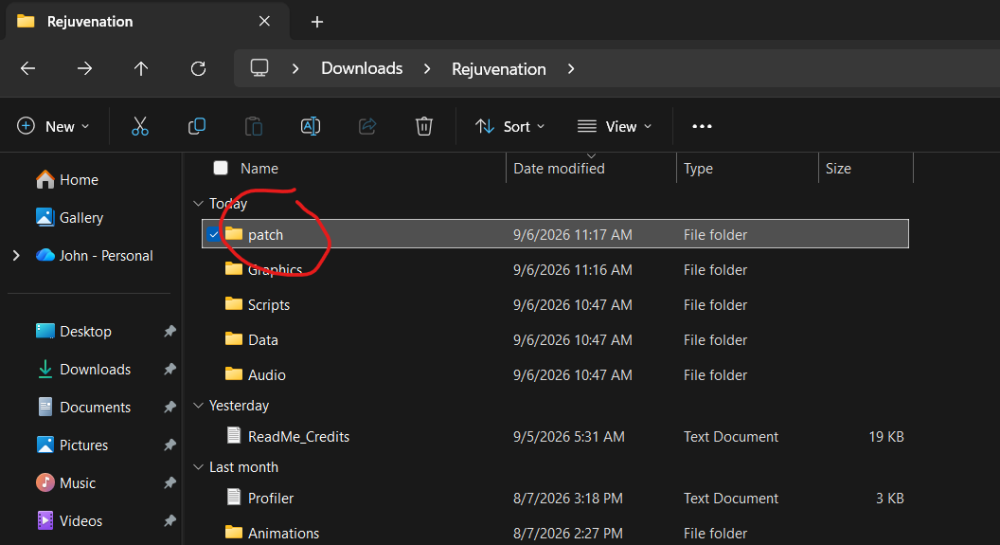
4. Open the "Rejuvenation" folder. Have this folder and the extracted mod zip file open side by side.
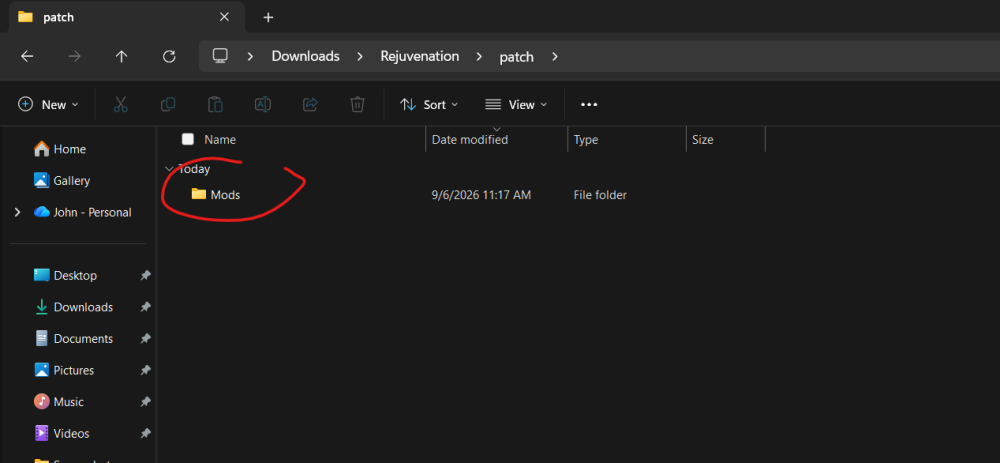
5. In the "Rejuvenation" folder, open the "Patch" folder.
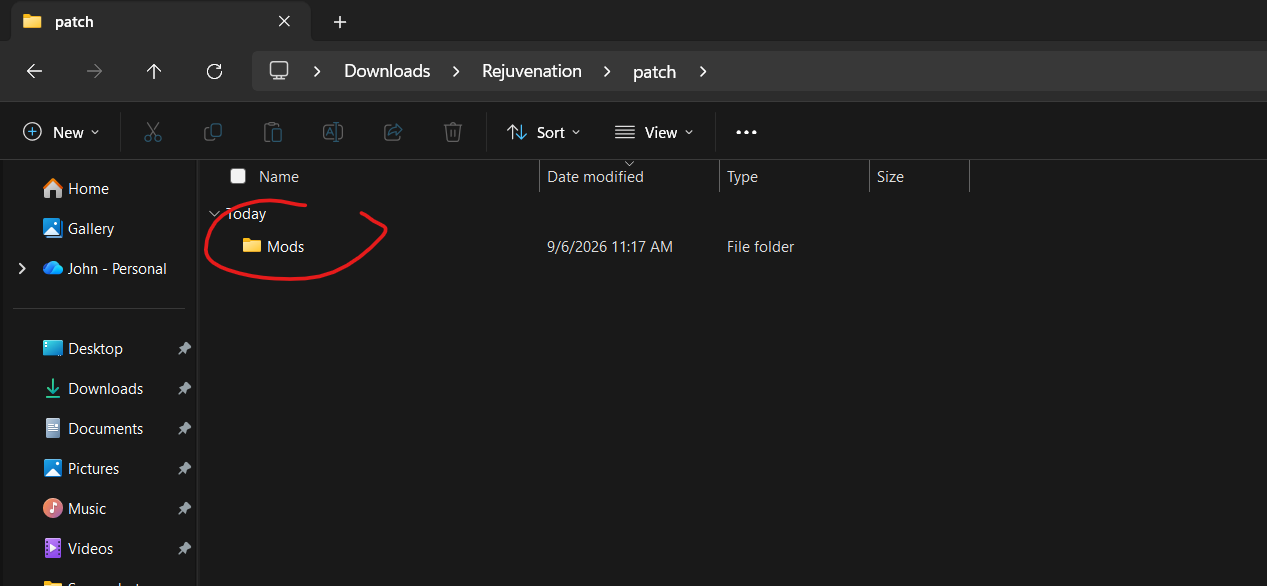
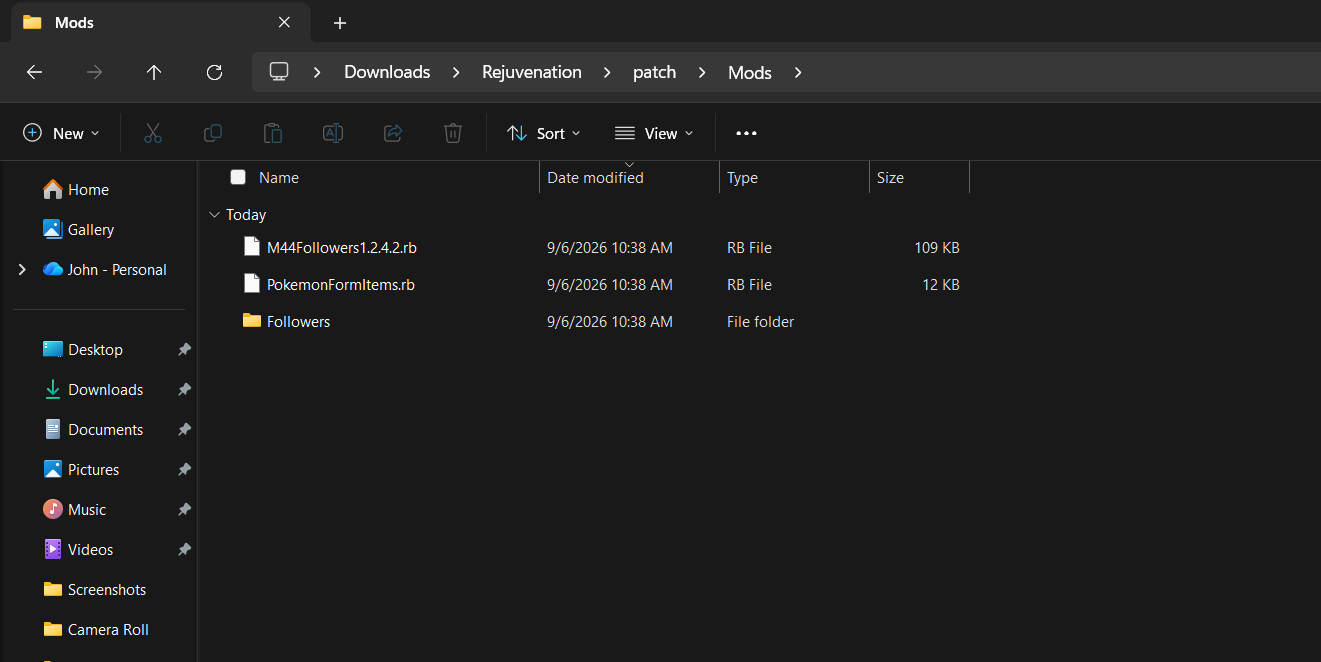
6. In the "Patch" folder, create a new folder, and name it "Mods".
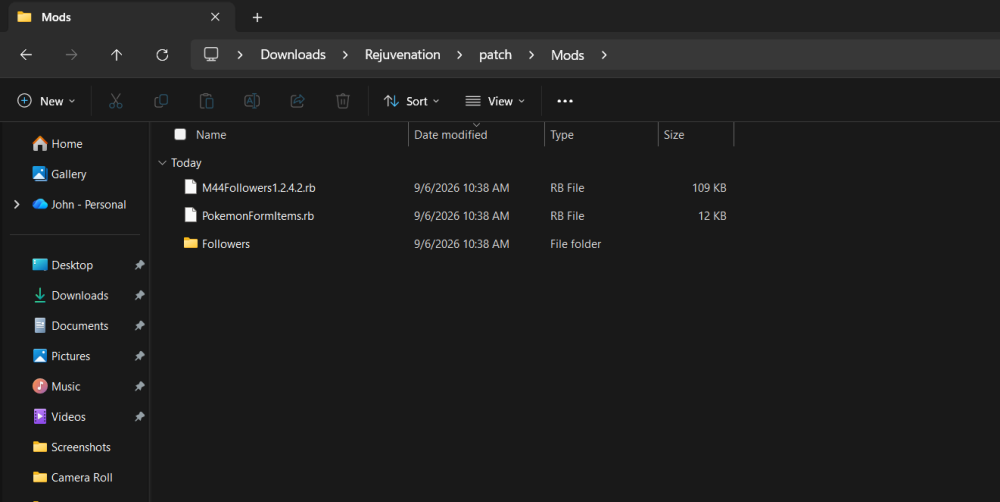
7. In this "Mods" folder you just created, DRAG AND DROP all three of the files that were in the extracted zip file for this mod you just downloaded! There should be only three: "MMFollowers(Numbers).rb", "PokemonFormItems.rb", and a "Follower" folder. ALL THREE must be dragged and dropped into the new "Mods" folder you just made.
8. Open the game, press control, and it works!
I am on a windows laptop, so if this method does not work for you, it may be for that reason. Hopefully this helps! (Screenshots attached below to help!)

 PROPER GUIDE FOR INSTALLATION AS OF V14 9/6/26: I am new to modding and had no idea how to properly install this mod. The instructions were incredibly vague, but I managed to figure it out. Here are proper instructions: 1. Download the Mod zip file from this page. Make sure you get the newest version! Scroll down in the comments to find the mod creator posting the newer versions as time goes on. 2. Extract the zip file once you've downloaded it. 3. Open the extracted zip file. 4. Open the "Rejuvenation" folder. Have this folder and the extracted mod zip file open side by side. 5. In the "Rejuvenation" folder, open the "Patch" folder. 6. In the "Patch" folder, create a new folder, and name it "Mods". 7. In this "Mods" folder you just created, DRAG AND DROP all three of the files that were in the extracted zip file for this mod you just downloaded! There should be only three: "MMFollowers(Numbers).rb", "PokemonFormItems.rb", and a "Follower" folder. ALL THREE must be dragged and dropped into the new "Mods" folder you just made. 8. Open the game, press control, and it works! I am on a windows laptop, so if this method does not work for you, it may be for that reason. Hopefully this helps! (Screenshots attached below to help!)